AI Route Optimization: What Is Real in 2026
A plain-language guide to artificial intelligence in route planning, the optimization behind the label, and how you divide the work with an optimizer and an assistant.
 Nathan Cole||13 min read
At your dispatch desk, you are trying to enter "Marek cannot do the bakery run before six" into the routing tool. You know what needs to happen; the software needs the rule in a field.
In the last two years, routing websites have adopted the artificial intelligence (AI) label for everything from established solvers to new chat interfaces. Before you buy, ask which part helps you get the operation into the tool, and which part plans the routes.
-
Ask what the AI does. Make the vendor say whether its AI is a chat interface, travel-time predictions, or the solver it already ran, renamed, before you compare route planners.
-
Check what the assistant can do. If a chat assistant such as Claude or ChatGPT can work in the planner, look for a planner whose tools let the assistant create the plan, revise it with you, and explain conflicts and wasted time, rather than only start an optimization.
-
Keep control of the edits. Require changes you can inspect in the app and reverse as easily as your own work.
Five things AI means on a routing website
When a routing vendor says AI, they mean one of five things. Routing24 sells one of the five, so test every claim, ours included.
1. The solver
The engine that assigns stops to vehicles and puts them in sequence is combinatorial optimization: math that works through enormous numbers of possible plans to find a near-best one. That math is built on decades of vehicle routing research. Calling the engine AI does not make it machine learning, and does not change what the vendor was running before.
2. Machine-learning predictions
Some tools predict travel times by hour of day and learn service durations per stop type. Arrival estimates tuned on history belong here too. These uses of machine learning predate the current AI wave.
Ask what the vendor trains the predictions on.
3. A language-model interface
A chat panel, new in the last three years, tackles the most expensive part of routing software: getting the operation's rules out of your head and into the tool. The panel is driven by a language model, the kind of AI behind Claude and ChatGPT. Instead of learning which fields express a rule, you describe the rule in your own words.
4. Learned route preferences
A vendor promising "The AI learns your routes" is claiming the system studies your drivers and plans like your best day, only better.
Learned preferences are a real research area at enterprise scale. In a small-fleet demo, ask what the system learned; the answer often comes back to the predictions above, and sometimes the vendor cannot demonstrate a learned behavior.
5. Autonomous dispatch
An assistant can now trigger a dispatch that publishes routes to drivers and notifies customers. A confirmation step still sits in front of that dispatch. Treat a vendor offering to remove that confirmation as a warning sign.
The part that changed: language in, structure out
Language models are good translators between how operators talk and what optimizers need. Routing tools expect structured fields such as time windows, capacities, shift ends, tags, break rules, and priorities.
Three translation jobs come up every day:
- Setup. Tell a model, "Two vans from the depot, drivers start at 7:00, the four pharmacy orders before 11:00, chilled only on the fridge van." That becomes two vehicles, a shift, four time windows, and a tag pair, all visible and yours to override.
- Data cleanup. A spreadsheet with addresses in three formats gives the model another translation job. The model converts the data, reports addresses the geocoder cannot locate, and offers to repair them. Ask which rows required guesses, and the model lists those rows.
- Questions after a run. Ask "Which routes finish after 16:00?" and the model answers from the plan itself.
The part that did not change: the solver
A language model predicts text. For a problem with a few hundred stops across a dozen vehicles, the model cannot work through the possible orderings. Ask a chatbot to sequence 40 stops and you get a list with no guarantee that even one time window is met.
In a sound AI routing tool in 2026, the model turns your description into constraints, a real optimizer plans the routes, the model explains the result, and every unassigned stop comes back with a stated reason.
Ask the vendor: "Show me every constraint the AI set from my description, and show me what it did with the one it could not honor." If you cannot see and edit the constraints, or the tool silently drops an impossible rule instead of reporting the conflict, the vendor has shown you a text generator with a map.
Planning is a loop, and the assistant belongs in it
Most of your planning time goes into finding out whether the setup was right, because nobody writes the correct rule set on the first try.
Say a run leaves six stops unassigned and puts an hour of waiting on one route, and the van you wanted home early runs into overtime.
Each of those tells you what to change before the next run: the goal you optimize for, or one of the rules. Set up, optimize, inspect, adjust, and optimize again.
An assistant helps with that work only if you remain in charge. Insist on these four things, whichever vendor is selling the tool:
- You decide which rules matter and which customer waits. The assistant proposes constraints and edits.
- Require changes in the app, where you can inspect them, not only in a chat transcript.
- Expect to reverse an assistant's edit as easily as your own.
- "Why did these stops go unassigned" must be answerable from the plan itself, and you must be able to check that answer in the interface.
How Routing24 is different
Routing24 sells the language-model interface described above, through its built-in assistant or a Claude or ChatGPT you connect. Both work through the same 45 tools, the actions an assistant can ask Routing24 to take, described below. Routing24 does not offer the machine-learning predictions.
Several established route planners now publish a Model Context Protocol (MCP) server, a connection that lets an assistant you already use, such as Claude or ChatGPT, call the planner directly. Most of those servers give the assistant only what the vendor's existing programming interface (API) already did: create, read, update, and delete orders, start planning, and fetch the result. That is useful, but the assistant gets no explanation of why the routes look the way they do.
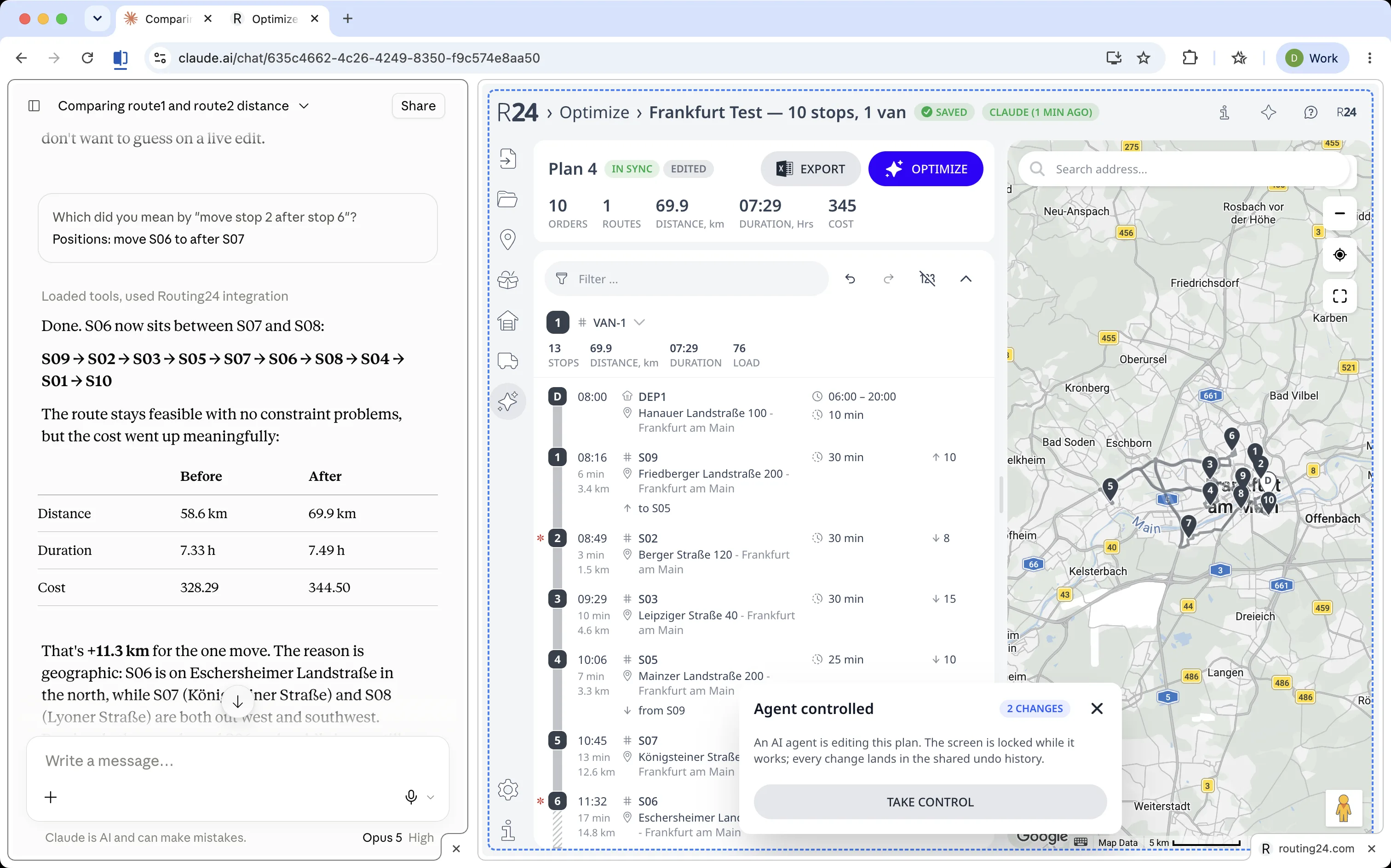
Where the assistant's calls land. Claude reaches Routing24 over MCP and you reach it through the screen. Both land in the same browser tab, on the same tools and the same plan session.
Those 45 tools let you define what to optimize and how, then explore the solutions to see whether the setup works. Pressing Optimize is one of them.
Creating the plan
Give the assistant an email or a spreadsheet, or describe the day, to start a new plan. From that input, the assistant:
- writes the orders, vehicles, and depots,
- turns your rules into constraints,
- geocodes every address and repairs addresses the geocoder cannot locate,
- runs the optimizer.
Editing the plan in turns
Routing24 applies the assistant's edits the same way it applies your drag and drop. The assistant moves stops, splits and merges routes, swaps a vehicle, and re-sequences a route.
Your edits and the assistant's edits share one undo history. When you change the plan by hand, Routing24 refuses a connected assistant's next edit until the assistant re-reads the plan, so the assistant cannot write over your work.
After every edit, Routing24 sends the assistant a comparison against the last full optimization. If the plan has moved far from that optimization, the assistant reports what that drift costs and stops, before it does anything else.
Analyzing conflicts and waste
Use the assistant to investigate constraints that interact. A time window, a shift end, and a break rule can each work alone yet be impossible together.
Routing24 gives the assistant the same information the screen shows. For every unassigned stop, the assistant gets:
- A category and an explanation.
- Blockers, what stopped the assignment.
- Levers, what would have to give to serve the stop.
- A quote for what serving the stop anyway would cost.
Routing24 also tells the assistant whether a stop was impossible to serve or only an option the optimizer passed over.
For the whole plan, the assistant gets totals and per-route statistics. The assistant also compares full optimization runs: the plan as it stands against one with a third van, or one with the cutoff relaxed to 18:00.
The assistant can read and change eight live tables of plan data, from orders to the stops on each route, using SQL, a database query language. A read answers "how many afternoon stops breach their window".
A write changes the columns the assistant is allowed to edit. Routing24 checks the whole batch before applying any of it: if one check fails, nothing changes, and if all pass, the batch becomes one undo step.
The assistant can also run an analysis on a draft copy of the plan. Even an analysis that changes nothing reports what it found. Together, the blockers, the comparisons, the queries, and the draft-copy analysis let the assistant answer:
- "Why are these stops unassigned?"
- "What does the 16:30 cutoff cost me?"
- "Route 3 looks light, what is it doing?"
Keeping the optimizer open
Routing24 runs the optimizer in your browser and keeps the optimizer open after the optimization finishes, holding the plan on your screen.
Whether you drag and drop or the assistant calls a tool, Routing24 recalculates the edit as soon as the edit lands. ETAs, loads, distances, and problems caused by the move update without restarting a run or reloading the page.
Re-optimization remains a separate step you choose to take. Re-sequencing one route is one request, answered as soon as the work finishes.
The session. One solve, then every edit, yours or the assistant's, goes through the engine that is already holding the plan.
That design has a price: everything depends on your browser tab. A planner that runs on the vendor's servers can run overnight, but you cannot watch it work. Routing24's tools do not run unattended:
- Every call needs your signed-in Routing24 tab. Close the tab and the next call fails.
- A Routing24 tab in the background of the same window as your chat sleeps too. Keep Routing24 in its own window or in Chrome's split view.
Two more boundaries apply:
- One browser at a time serves the account. Approve the connection (next section) on your laptop and your desktop stops answering.
- Integration between your systems and Routing24 is a separate Pro arrangement, not something you sign up for on the website.
Connecting your assistant
Connect through routing24.ai/mcp, using the steps for
Claude or ChatGPT. If you use
ChatGPT, enable developer mode before adding the address as a custom
connector.
Approve the connection once on a Routing24 screen. You do not need an API key.
Trying the connection costs nothing. Routing24's free plan connects, ChatGPT includes developer mode on its free plan, and Anthropic lists custom connectors on Claude's free plan, capped at one. If your Claude account is on Team or Enterprise, an owner must add the connector before members enable the connection.
The built-in assistant needs no connection. Open it from the header and attach a file for it to use. Its usage comes out of an AI budget that depends on your subscription, with a small demo quota on the Free plan.
With a connected Claude or ChatGPT, usage comes out of your own subscription. That assistant also reaches your files and mail, along with your other systems.
Reviewing and overruling changes
While a connected assistant edits, Routing24 shows an Agent controlled overlay with a running change count. A header badge names the assistant, for example CLAUDE (1 MIN AGO). Take control interrupts the assistant whenever you need to intervene.
The assistant can open any page in the app and fly the map to the stop, depot, or address under discussion. If you pin a stop where you want it, Routing24 badges that stop and reports which rules it breaks, without moving the stop back.
For field changes across many rows or an address repair, the built-in assistant lists the rows before and after, then waits for confirmation, for example "Apply 12 field changes to 8 sites?". Deletes require the same review.
When the built-in assistant needs a decision, it asks in its pane instead of choosing for you.
A connected Claude or ChatGPT applies those changes without that dialog. If you want a pause, set the connected assistant's write tools to ask for approval.
During a live conversation with the built-in assistant, each transcript row that changed the plan carries a Revert here link to the state before that change.
Reverting preserves edits you made by hand outside the assistant. Routing24 does not restore routes from a later optimization.
Dropping Pro constraints after the trial
Pro constraints include tags, linked pickup and delivery, driver breaks, order sequences, and other rules. Every new account starts with a 14-day trial that applies those rules in full.
After the trial, on Free or Starter, the first five optimizations that use Pro constraints apply those constraints normally. From the sixth, Routing24 shows an upgrade dialog and runs the optimization without those rules.
Routing24 tells the assistant, built-in or connected, which rules the optimization dropped. The assistant reports that omission instead of presenting the plan as complete.
How to evaluate an AI-powered routing tool
Ask these five questions during a demo, with the vendor working in the product rather than describing the product.
- What does the AI do? Ask whether the vendor means a language interface, travel-time predictions, or the solver itself. Only the first two are credible answers. Then ask which tools the interface can use beyond uploading orders and pressing Optimize.
- Can I see and override what the model set? Have the vendor show the fields the model filled.
- What happens to a rule the tool cannot honor? Expect a named violation or an unassigned stop with a reason, and ask about tier limits as well as conflicting rules.
- Can I check the assistant's explanation? Ask for the reason behind an unassigned stop, then find that reason in the interface.
- What leaves my browser, and where does the data go? Ask which AI providers receive the data and whose account the calls run on. Have the vendor show exactly what the app sends.
FAQ
Is route optimization a form of AI?
Under the broadest definition of AI, yes. Route optimization algorithms work through enormous numbers of possible plans to find a near-best one, but they are not machine learning and they predate the current AI wave. What the wave added sits around the solver: language interfaces, data cleanup, and learned predictions.
Can I use ChatGPT or Claude to plan my routes?
Not on their own, because a language model cannot sequence stops reliably.
Connect them to a planner that can: Routing24 publishes an MCP server at
routing24.ai/mcp, which you add as a custom connector in Claude, or in
ChatGPT with developer mode enabled. A good assistant declines to sequence
the stops itself and runs the optimizer instead.
How do I check what the AI did to my plan?
Start with the action log. Routing24 records every tool call, what it asked for, what happened, and the plan revision after it. The next assistant that picks up the work can read that log too.
Then check the undo history, where the assistant's changes sit next to yours. With the built-in assistant, bulk changes also wait for your confirmation before they apply.
Will AI replace dispatchers?
AI is reducing the translation work of retyping rules into forms and reading routes to answer questions. Deciding when overtime is worth the cost still needs your judgment, as does deciding whether a plan will work on a particular Tuesday.
What happens to my data when an AI plans my routes?
The optimization itself runs in your browser. Routing24 sends addresses to its servers for geocoding and travel times, and stores saved plans in your account's data region.
The built-in assistant sends your message, and the parts of the plan needed to answer it, to the providers listed on the privacy page.
If you connect your own assistant, that assistant runs on your provider account under that provider's terms. Calls reach Routing24 from that provider's servers rather than your machine, and the work still happens in your tab.
What is the difference between AI route optimization and dynamic route optimization?
Dynamic, or live, re-optimization recomputes routes mid-day after a cancellation or a rush order. That solver capability predates the current AI wave.
AI route optimization, as marketed in 2026, usually refers to the language and prediction layers around the solver. A tool can have either, both, or neither behind the label.
The takeaway
In a demo of Routing24 or any other planner, describe your actual day, including the exceptions, and watch what ends up in the fields. When the result sends you back to the rules, ask the assistant to help with the next revision, not just another press of Optimize.
Keep reading
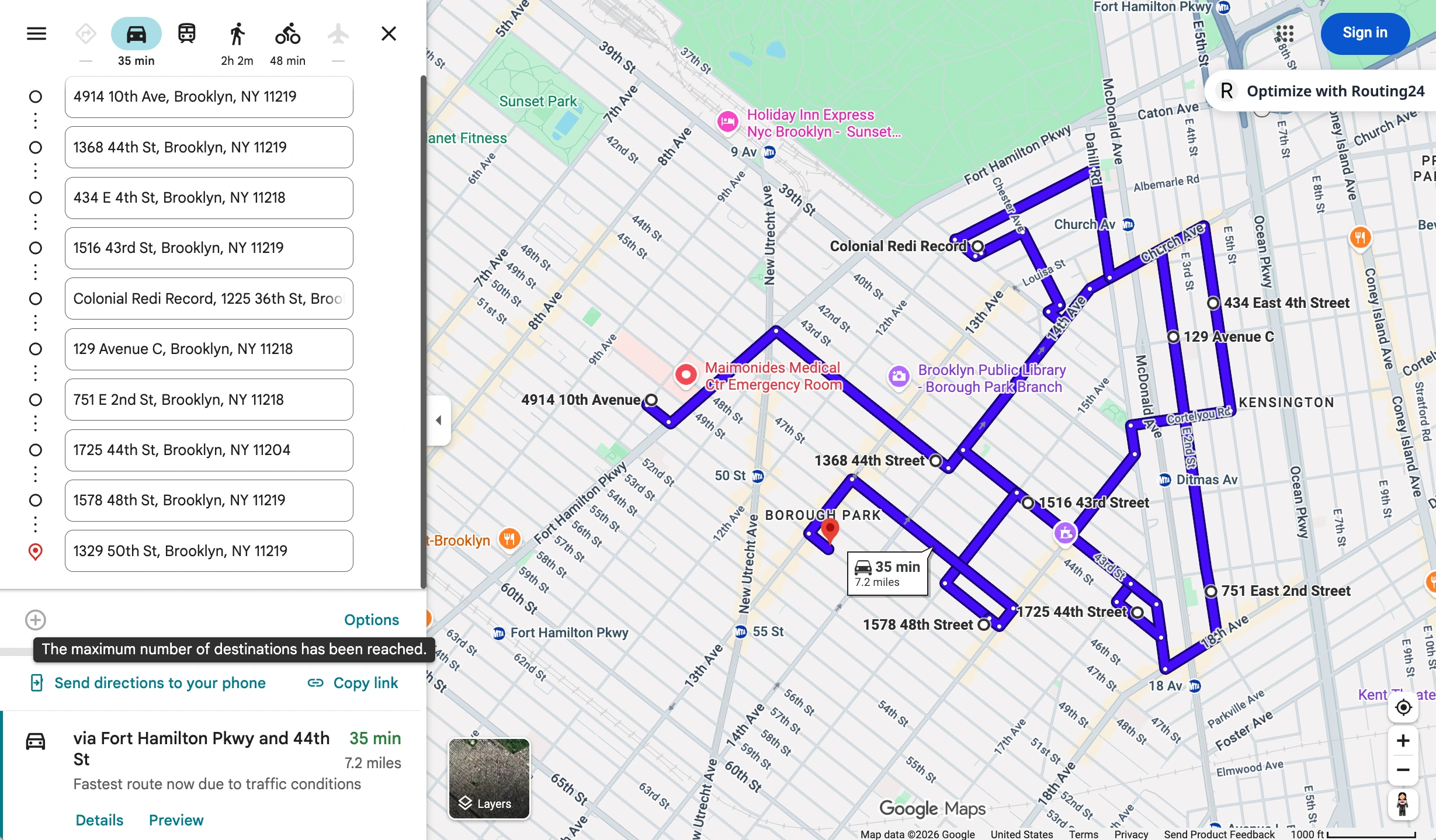
Google Maps Route Optimization: How to Optimize More Than 10 Stops
The 10-stop-per-route limit in Google Maps explained, a free way to overcome it, and how to automatically rearrange your addresses to save time and distance.

Pickup and Delivery Routing: Six Ways Goods Move and How Long They Stay on Board
Goods are loaded at the depot, returned to it, carried from one customer to another, delivered along a fixed run, or collected at one of several addresses. What each pattern requires from a route optimizer, and why time on board is a limit of its own.
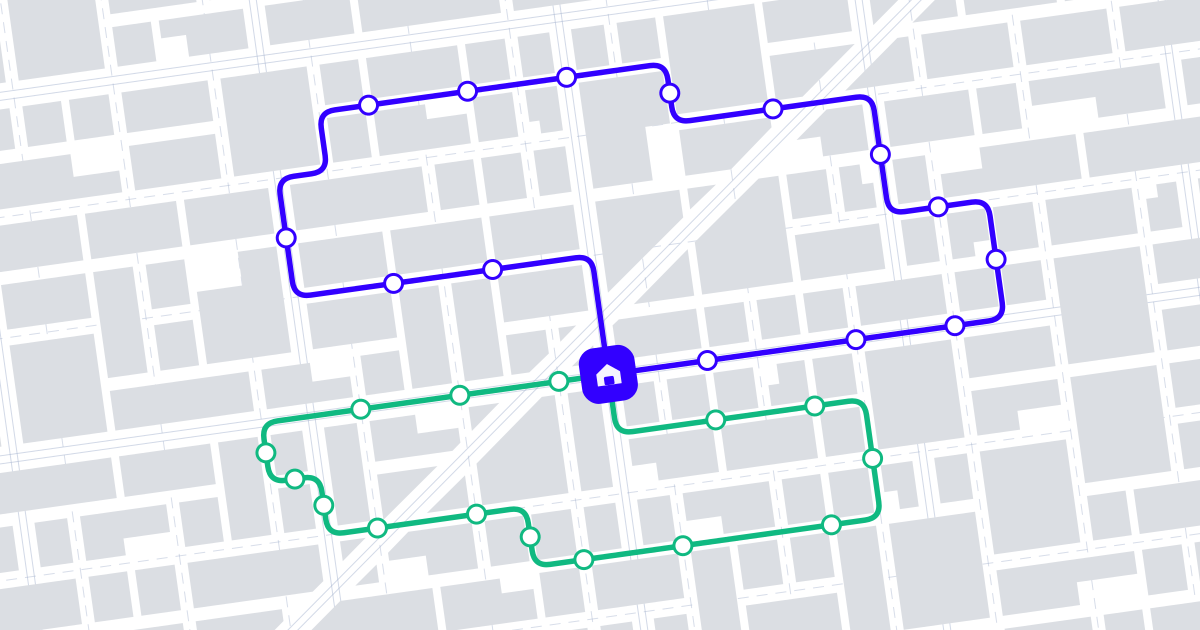
What Is Route Optimization? A Practical Guide for Delivery & Field-Service Teams
Route optimization finds the most efficient set of routes for your whole fleet given real-world constraints. Here is how it works and what it saves.