Why an order went unassigned
By Nathan ColeUpdated
The optimizer never breaks a constraint. An order that cannot be served within your rules stays off the routes: it counts toward the red UNASSIGNED metric and appears in the Unassigned panel above the route cards, with the reason attached. This page lists every reason the panel shows and the inputs that fix each one.
This tutorial plan overloads one van, so the panel shows real reasons:
Reading the panel
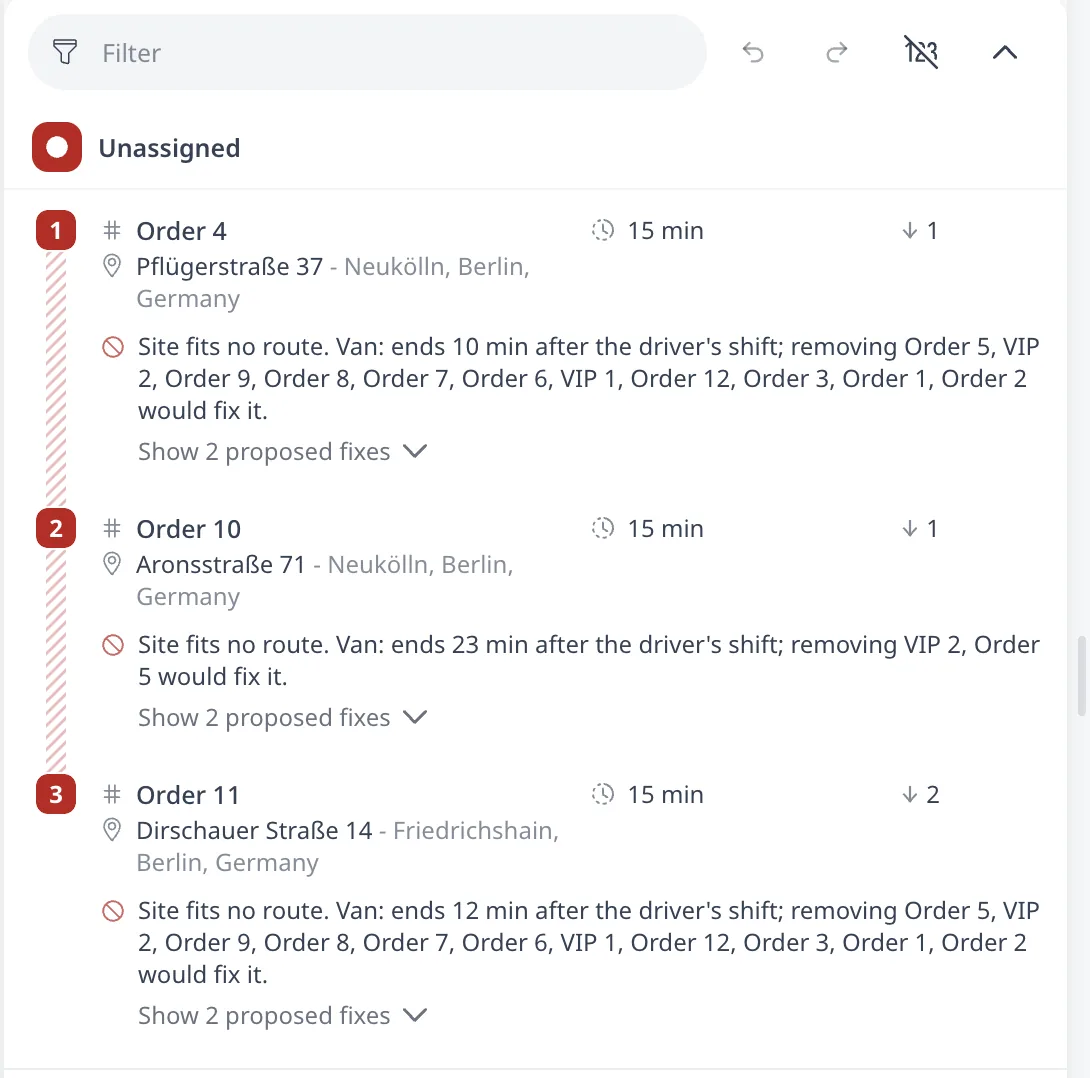
Each unassigned order shows one of five kinds of reason:
- A red reason line, such as "the shift ran out of time". The Show proposed fixes link under it lists the proposed fixes and, where relevant, a Conflicts with list of the orders that compete for the same driver hours or capacity. The link reads Show conflicts when there is only that list.
- A green suggestion line, like "Best if assigned to route 2 after stop 7", or "Best if the order is assigned to a new route" naming a vehicle. This is the position where forcing the order in manually costs the least.
- "Removed from planned route manually." The reason on an order dragged out of its route manually. The order stays off the routes. Drag it back or re-optimize to return it.
- An "Alternative not chosen" line. Orders in the same alternative group are mutually exclusive. When the optimizer serves one, the rest read "Alternative not chosen, served another order in group X" and appear in their own Alternatives (not chosen) section.
- A reason referring to a transfer pair. A pickup and delivery transfer is served whole or not at all, so when one half cannot be placed the unassigned reason will refer to both stops. See Pickup & delivery transfers.
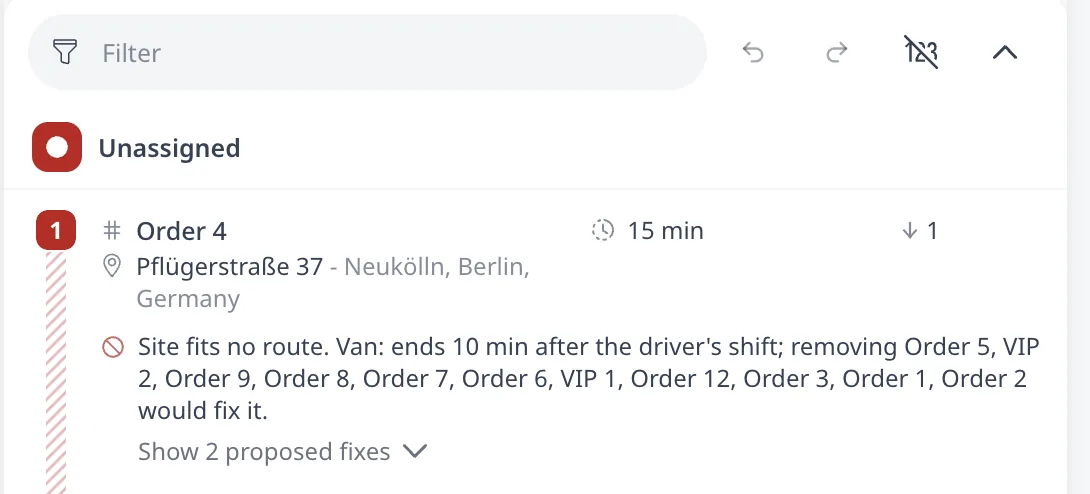
On a very large plan the panel does not detail every entry. After the detailed entries it collapses the rest into a line like "+12 more not detailed (mostly shift duration)", stating the dominant cause.
Fixing each cause
Not enough time
The shift ends before any vehicle can serve the order, or every vehicle reaches it after its window closes.
- Lengthen the shift.
- Add a vehicle, or raise its Available count.
- Shorten service durations.
- Widen the order's time window.
Not enough capacity
The order's load does not fit into any vehicle's remaining capacity.
- Raise vehicle capacity.
- Add a vehicle.
- Allow reloads with Max reloads.
- Check that the order's load is realistic.
Tags / restrictions
No vehicle matches the order's tag requirements.
- Give a vehicle the required tag.
- Drop the tag from the order.
See Tags: vehicle-order compatibility.
No drivable road connection
The pin is mislocated: on water or in a pedestrian zone.
- Fix the address.
- Drag the pin.
See Fix unrecognized or mislocated addresses.
Release time
The goods are not at the depot early enough for any feasible trip.
- Move the release time.
- Move the window.
Max time in vehicle
The order spends longer in the vehicle than its limit allows. On a plain order that time runs from the trip's depot departure to the start of service. On a pickup and delivery pair it runs from the pickup to the delivery.
- Raise Max time in vehicle on the order.
- On a pickup and delivery pair, raise Max ride overtime instead.
- Add a vehicle, so the order is delivered sooner.
On a vehicle with driver breaks, a break taken inside that stretch counts toward the same time. Allow breaks at more stops, or relax the break rule. See Max time in vehicle.
Product segregation
The order's Load class cannot share a route with what the candidate vehicles already carry.
- Add a vehicle for the conflicting class.
- Drop the pair from the vehicles' Do not mix load classes groups.
See Product segregation.
Inapplicable field
The order sets a field that does not apply to its kind, so it cannot be planned. Max ride overtime is the case to check: it belongs only to linked (pickup & delivery) orders.
- Clear the value.
- Link the order into a transfer.
Alternative not chosen
Nothing needs fixing unless the wrong member of the group won.
- Raise the preferred order's priority.
After changing inputs, press Optimize again. Every optimization recomputes unassignment from scratch.
To act on the green suggestion line, drag the order out of the Unassigned panel onto that route position. The optimizer recalculates the route and reports any rule the move breaks as a red problem line. See Edit routes manually.
Who gets dropped: priority
When not everything fits, the optimizer leaves the lowest priority orders unassigned. Priority (1 to 1000, default 1) controls the ranking: the optimizer keeps higher priority orders and drops lower priority ones. In the tutorial plan above, the two VIP orders at priority 100 always stay on the routes, while ordinary orders go unassigned.
Priority is a tie-breaker under scarcity, not a guarantee. If an order is physically impossible to serve (its window is outside every shift, or no vehicle has its required tag), no priority value places it.
Next step
The optimizer flags forced assignments and hand edits rather than refusing them. Problems and warnings, explained covers each flag.
FAQ
Why does the optimizer leave orders unassigned?
The optimizer never breaks a constraint. An order that cannot be served within your rules stays off the routes, counts toward the red UNASSIGNED metric, and appears in the Unassigned panel with the reason attached: not enough time or capacity, no matching tags, no drivable road connection, a release time, or a ride limit.
How do I put an unassigned order back on a route?
Press MORE on its entry to read the proposed fixes: lengthen the shift, add a vehicle, raise capacity, widen the window, or fix the pin. To act on the green suggestion line, drag the order out of the Unassigned panel onto that route position. After changing inputs, press Optimize again.
Which orders get dropped when not everything fits?
The optimizer keeps higher priority orders and drops lower priority ones. Priority runs from 1 to 1000 with a default of 1. It is a tie-breaker under scarcity, not a guarantee: an order that is physically impossible to serve, with a window outside every shift, is placed by no priority value.
What does removed from planned route manually mean?
It is the reason shown on an order dragged out of its route manually. The order stays off the routes until you drag it back or re-optimize. Every optimization recomputes unassignment from scratch, so a fresh run places the order again wherever your rules allow it.